Graph editor
The graph editor is the Graph workspace of a case. It displays the entities of the case and their relationships, and lets you add, edit and remove them and lay out the graph. To learn why Colander represents an investigation as a graph, see Knowledge graph. Besides the main graph, a case can have sub-graphs, edited with the same editor.
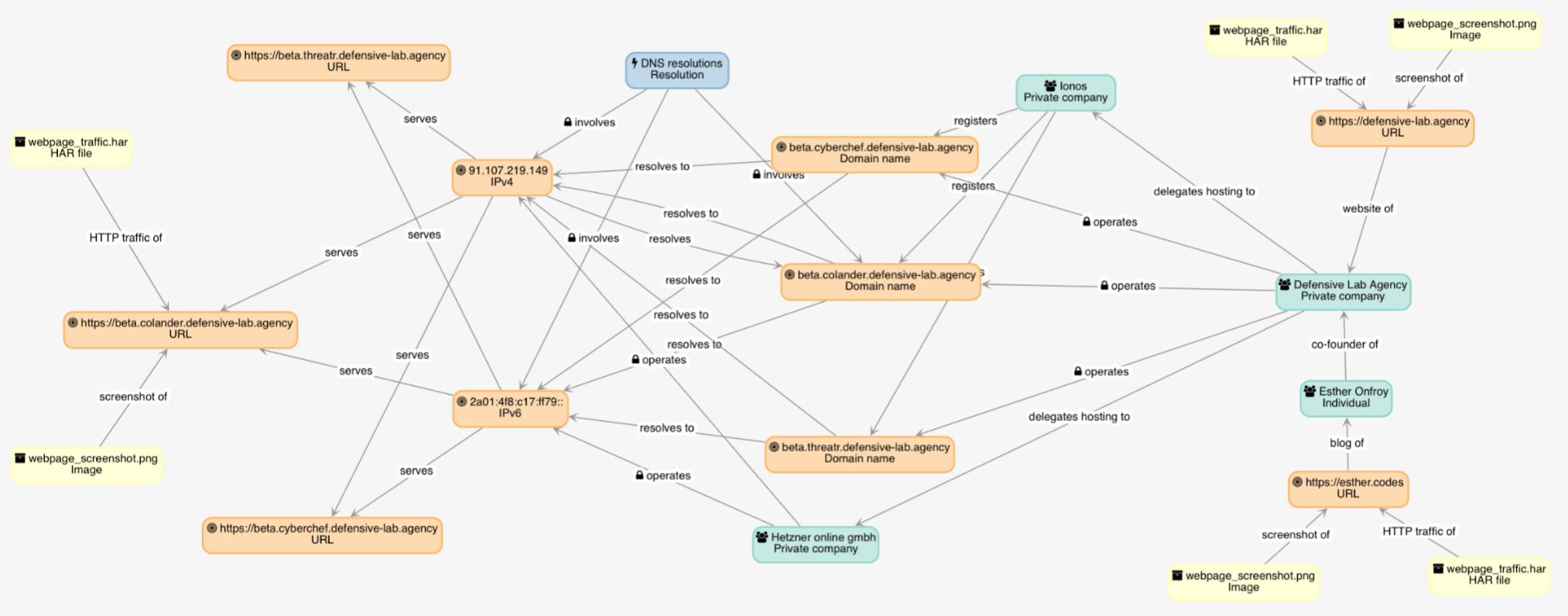
Mouse and keyboard actions
- mouse wheel: zoom in and out
- click + drag on the background: move the whole graph
- double click on the background: open the quick search side panel
- double click on an entity: open the entity overview side panel
- right click on the background: open the graph menu to
- quickly create a new entity
- right click on an entity: open the entity menu to
- create a new relation
- open the entity overview
- quickly edit the entity
- select the connected component
- layout the neighbors
- right click on a relation: open the relation menu to
- rename the relation
- delete the relation
- select the connected component
- ctrl + click on entities: select multiple entities
- ctrl + click + drag: area selection
- click + drag on selected entities: move the selected entities
- click on the background: empty the selection
Relationships
| Display | Meaning |
|---|---|
| Name of the relation | A loose relationship, created by a user. It can be renamed or deleted. |
| Padlock before the name | A tight relationship, inferred from the attributes of one of the two entities. It cannot be changed in the graph editor. |