Import knowledge into a case
This guide shows how to import entities from a file into a case, with the Import workspace. Colander supports multiple data formats that can be directly imported into a case:
- JSON, a Colander feed
- STIX2, a STIX2 bundle
- MISP, a MISP event
- CSV
Colander automatically merges imported data with the case entities. Check the documentation to know how Colander converts data from MISP and STIX2.
Import a Colander feed, a STIX2 bundle or a MISP event
By default, the Import workspace proposes to import a Colander feed. Choose another format, such as MISP or STIX2, if needed.
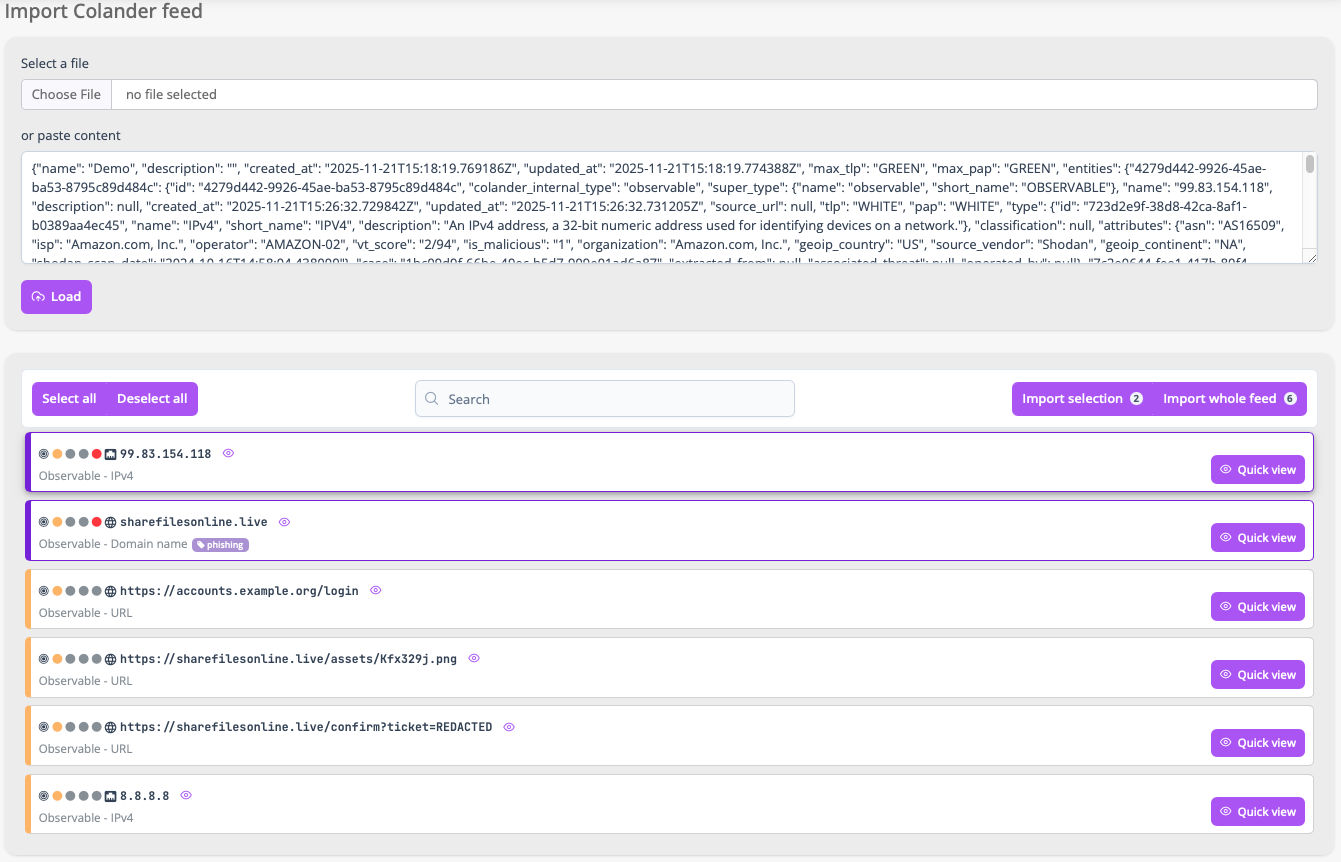
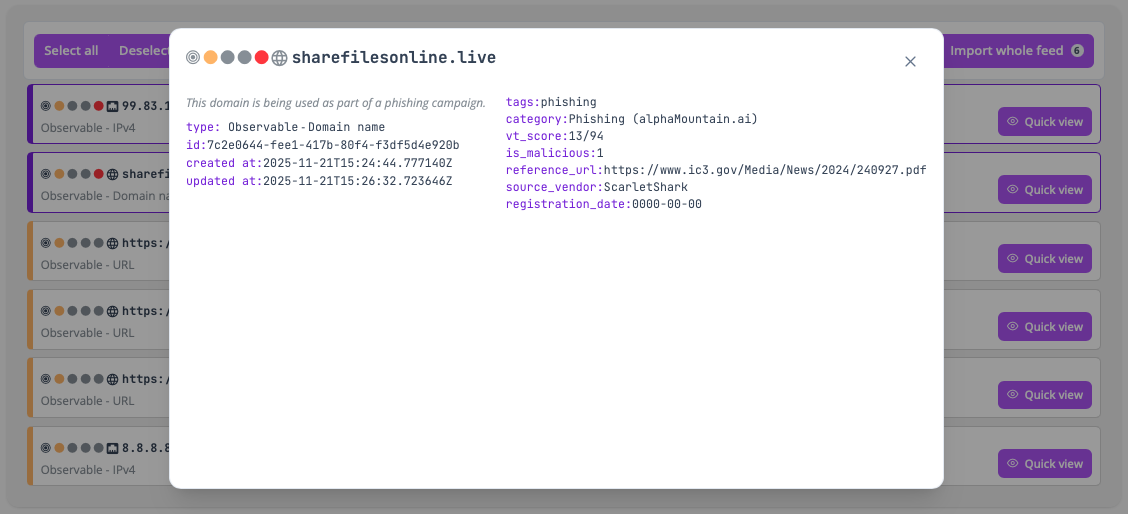
Select the entities to import, or import the whole file. The Quick view button opens the details of an entity.
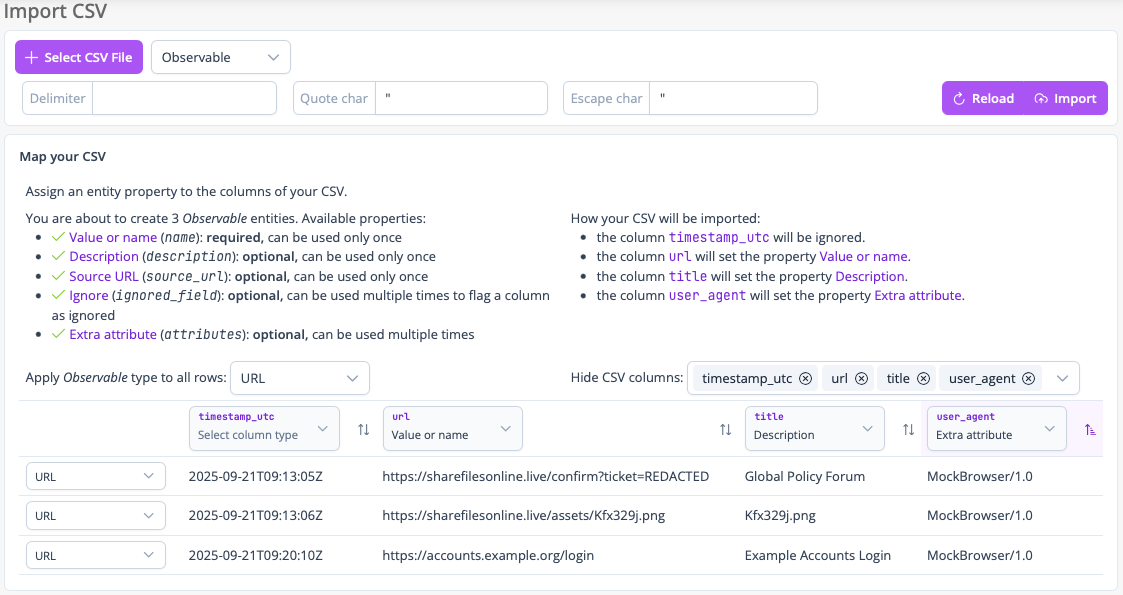
Import a CSV file
- Choose the CSV file to load.
- Select the entity type, for example Observable or Actor.
- For each row, choose the entity subtype, for example URL or Domain name.
- For each column, choose the corresponding entity property, for example Name or Description.
Any column data that does not match the Colander data model can be placed in the entity's Extra attributes.