Turn a PC into a Wi-Fi PiRogue
This guide shows how to install a PiRogue in access point mode on a PC with an Ethernet interface and a wireless interface. For other setups, see Install a PiRogue.
Requirements
You need:
- a PC with one Ethernet interface, one wireless interface and Debian 13 freshly installed
- the wireless interface has to support the AP mode (access-point mode)
- the PC is connected to our local network via its Ethernet adapter
- the PC has an Internet connection
Danger
Don't install any desktop environment.
Prepare the system
Connect to the PC and upgrade it:
sudo apt update
sudo apt dist-upgrade
Then install iw to check if the wireless interface supports the AP mode:
sudo apt install iw
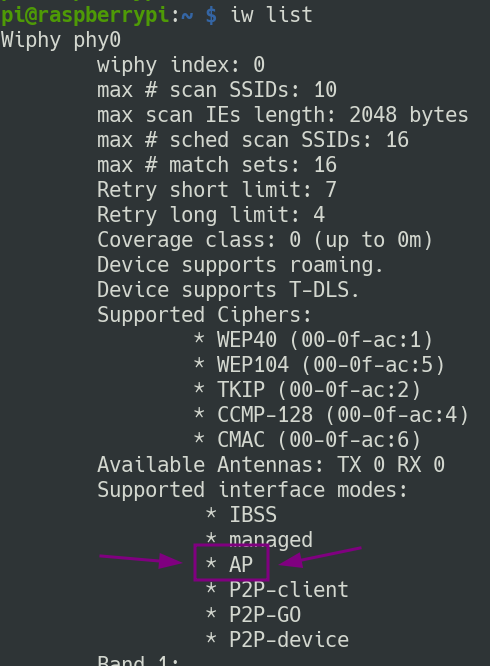
run iw listand scroll through its output to check if the wireless interface supports the AP mode. If so, it should look like
Install the PiRogue packages
Add the PTS package repository:
sudo wget -O /etc/apt/sources.list.d/pirogue.list https://pts-project.org/debian-13/pirogue.list
sudo wget -O /etc/apt/trusted.gpg.d/pirogue.gpg   https://pts-project.org/debian-13/pirogue.gpg
sudo apt update
Finally install the PiRogue features:
sudo apt install pirogue-base
Check that everything runs properly
Check the state of the PiRogue:
pirogue-ctl status
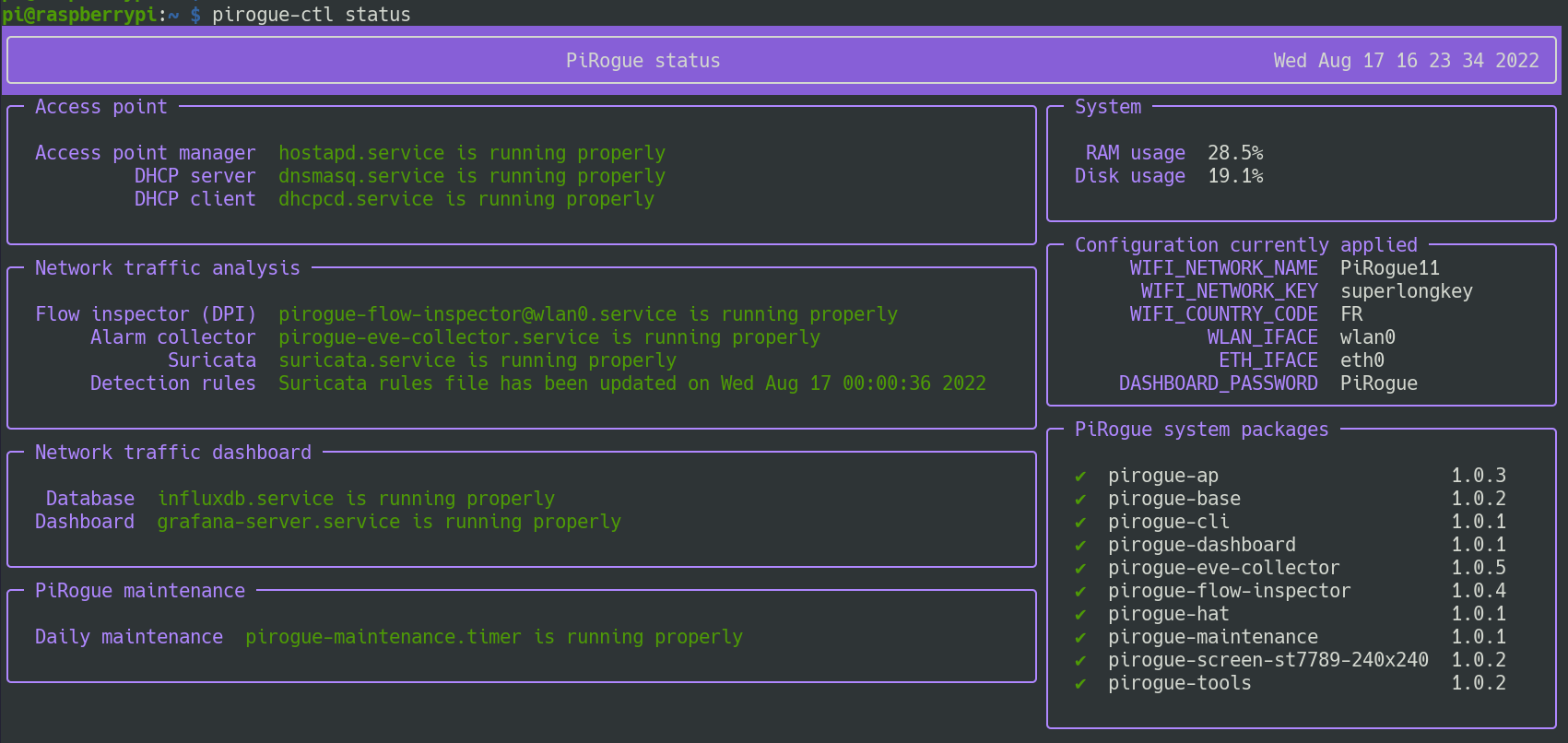
If everything is displayed in purple and green, the PiRogue runs properly. If not, join the Discord channel to get help.